View Notification Logs
The Notification Logs provide a detailed history of all notifications sent by the CMP portal. This log allows you to track the success or failure of notifications, review the details of generated notifications, and identify any issues with notification delivery.
To view the Notification Log table, do these steps:
- Select Rules & Notifications | Notifications on the sidebar menu to display the Rules screen.
- Select the Notification Logs tab.
- Select an appropriate time frame in the Creation Date field.
- Select a log item from the table to display the Log Details dialog box.
A screen capture of the Notification Log table is shown here.
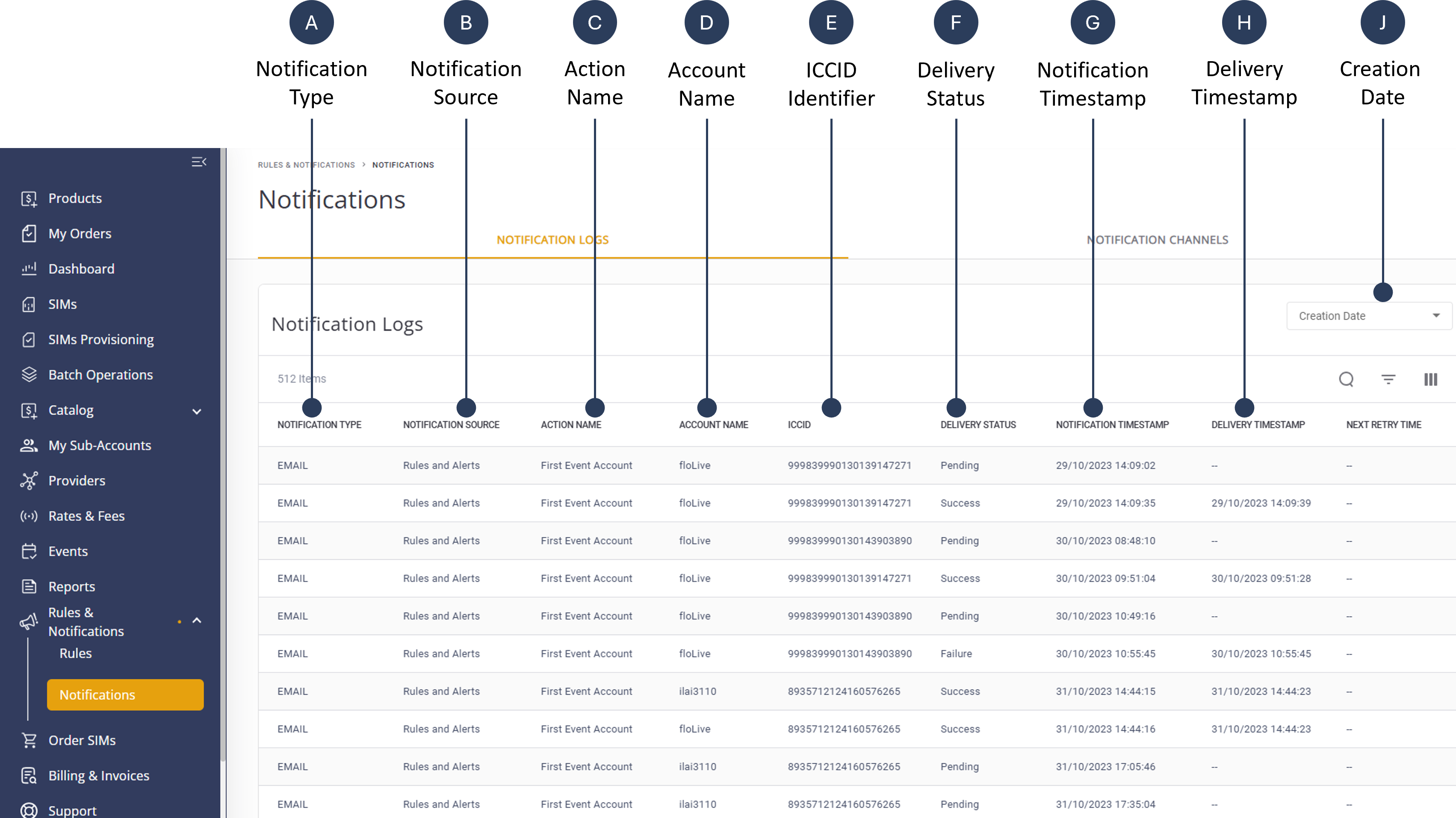
A description of the Notification Log table columns is provided in this table.
| Column Name | Description |
|---|---|
| Notification Type | Specifies the method used to deliver the notification (e.g. SMS, Email, HTTP Push API). |
| Notification Source | Identifies the system or module that generated the notification (e.g., Rules and Notifications module). |
| Action Name | The name of the action or event that triggered the notification (as defined in the rule). |
| Account Name | The name of the account associated with the triggered event. |
| ICCID Identifier | The ICCID of the SIM card involved in the event. |
| Delivery Status | Indicates whether the notification was successfully delivered (e.g., Success, Failed, Pending). |
| Notification Timestamp | The exact time the notification was generated by the system. |
| Delivery Timestamp | The exact time the notification was delivered to its destination (email inbox or API endpoint). |
| Next Retry Time | The time of next notification attempt, if applicableThe date the notification record was created in the system's log. |